
Import a GPX catalog
A script that turns a folder of GPX files into published itineraries. Run it again after adding files, or after a crash, and it imports only what is missing.
You need:
- a publishable key with the
studio-embeddedscope, and your secret key, from Organization → API keys in the Mountaya app; - the id of a member of your organization, who the imports act as;
- Node 22.18 or later with
@mountaya/client(npm install @mountaya/client), or Python 3 withrequests(pip install requests).
Map Studio comes with an agreement.
1
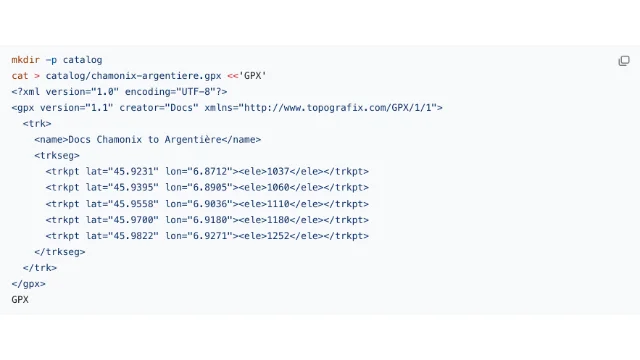
The script reads every .gpx file in catalog/. To try it, save one route there:
Each itinerary takes its name from the file's <name>, which must be unique in your organization.
2
Imports act as one of your members, so the script first mints a session token that names them.
3
For each file, the script asks for a preview, which reads the route and saves nothing. It skips a route an earlier run already imported. Otherwise it imports the route and publishes it.
Save the TypeScript of steps 2 and 3 as import-catalog.ts and run node import-catalog.ts. Or save the Python as import_catalog.py and run python3 import_catalog.py. Both read MOUNTAYA_PUBLISHABLE_KEY and MOUNTAYA_SECRET_KEY from the environment.
The preview picks a mode for each stretch of the route. directions re-routes it on the trail network, and linestring keeps your points as drawn.
4
Run the script a second time. Every route is already there, so nothing is imported twice:
Add a file to catalog/ and run it again: only the new route is imported.