Get started

Node script

A Node script that mints a session token, lists your latest itineraries and routes a hike. No bundler, no build step.
The Node script, printing itineraries and a route

The files

Every file the script needs, as it runs in the SDK repository.

From examples/client-node/package.json
{
  "name": "@mountaya/example-client-node",
  "version": "0.0.0",
  "private": true,
  "license": "MIT",
  "description": "The client from a Node process: no bundler, no DOM, no React.",
  "type": "module",
  "scripts": {
    "build": "tsc --noEmit --project tsconfig.source.json",
    "dev": "node src/main.ts",
    "lint": "tsc --noEmit"
  },
  "dependencies": {
    "@mountaya/client": "0.1.0"
  },
  "devDependencies": {
    "@types/node": "26.6.5",
    "typescript": "7.0.2"
  }
}
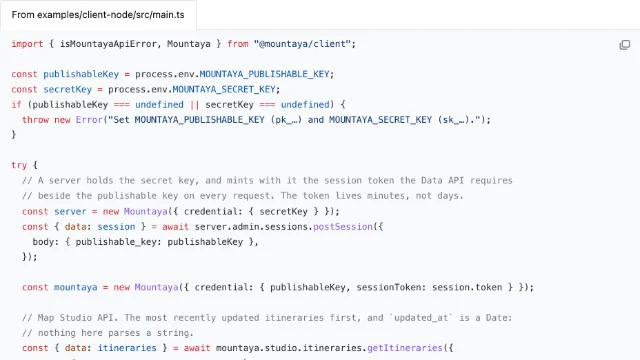
From examples/client-node/src/main.ts
import { isMountayaApiError, Mountaya } from "@mountaya/client";

const publishableKey = process.env.MOUNTAYA_PUBLISHABLE_KEY;
const secretKey = process.env.MOUNTAYA_SECRET_KEY;
if (publishableKey === undefined || secretKey === undefined) {
  throw new Error("Set MOUNTAYA_PUBLISHABLE_KEY (pk_…) and MOUNTAYA_SECRET_KEY (sk_…).");
}

try {
  // A server holds the secret key, and mints with it the session token the Data API requires
  // beside the publishable key on every request. The token lives minutes, not days.
  const server = new Mountaya({ credential: { secretKey } });
  const { data: session } = await server.admin.sessions.postSession({
    body: { publishable_key: publishableKey },
  });

  const mountaya = new Mountaya({ credential: { publishableKey, sessionToken: session.token } });

  // Map Studio API. The most recently updated itineraries first, and `updated_at` is a Date:
  // nothing here parses a string.
  const { data: itineraries } = await mountaya.studio.itineraries.getItineraries({
    query: { limit: 5, sort: "-updated_at" },
  });

  for (const itinerary of itineraries) {
    console.log(`${itinerary.name}, updated ${itinerary.updated_at.toISOString()}`);
  }

  // Data API. `select` asks for two fields instead of the default full selection, which is
  // the difference between a summary and every coordinate's elevation.
  const { routes } = await mountaya.data.directions(
    {
      activity: "HIKING_AND_TRAIL",
      waypoints: [
        [6.8652, 45.9237],
        [6.9106, 45.901],
      ],
    },
    { select: { routes: { distance: true, duration: true } } },
  );

  // The API answers in meters and seconds, and the program prints them as they arrive.
  for (const route of routes) {
    console.log(`${Math.round(route.distance)} m in ${Math.round(route.duration)} s`);
  }
} catch (error) {
  // The platform reported it, so it carries a status and the envelope's own messages. Read by
  // the name its class declares, so an error from a second copy of the package classifies too.
  if (isMountayaApiError(error)) {
    console.error(`${error.status} ${error.code ?? ""}`.trim());
    for (const entry of error.errors) {
      console.error(`  ${entry.path?.join(".") ?? "-"}: ${entry.message}`);
    }
    process.exitCode = 1;
  } else {
    throw error;
  }
}

Run it

Save the two files in a new folder. With Node 22.18 or later, and a publishable key carrying the publishing and data scopes:

npm install
MOUNTAYA_PUBLISHABLE_KEY=pk_your_publishable_key MOUNTAYA_SECRET_KEY=sk_your_secret_key npm run dev

The same script is examples/client-node in the SDK repository.

Next steps

Last updated