
Next.js itinerary page
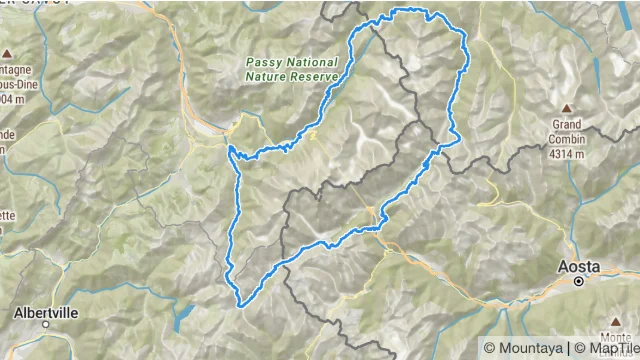
A Server Component reads the itinerary before the page is sent, and a Client Component draws it on a map. The itinerary's name is already in the HTML.
The packages are not on npm yet
The @mountaya/* packages are coming to npm. Until they are published, the install commands on these pages fail with a 404.
Every file the app needs, as it builds in the SDK repository.
From examples/next-app/package.json
{
  "name": "@mountaya/example-next-app",
  "version": "0.0.0",
  "private": true,
  "license": "MIT",
  "description": "A Next.js application that prefetches on the server and renders the map in a client component.",
  "type": "module",
  "scripts": {
    "build": "NEXT_TELEMETRY_DISABLED=1 next build",
    "dev": "NEXT_TELEMETRY_DISABLED=1 next dev",
    "lint": "NEXT_TELEMETRY_DISABLED=1 next typegen && tsc --noEmit",
    "start": "NEXT_TELEMETRY_DISABLED=1 next start"
  },
  "dependencies": {
    "@mountaya/client": "0.1.0",
    "@mountaya/client-react": "0.1.0",
    "@mountaya/elements": "0.1.0",
    "@mountaya/elements-react": "0.1.0",
    "@tanstack/react-query": "^5",
    "maplibre-gl": "6.18.0",
    "next": "16.4.2",
    "react": "19.3.1",
    "react-dom": "19.3.1"
  },
  "devDependencies": {
    "@types/node": "26.6.5",
    "@types/react": "19.3.0",
    "@types/react-dom": "19.3.0",
    "typescript": "7.0.2"
  }
}From examples/next-app/next.config.ts
import type { NextConfig } from "next";

/**
 * Nothing is configured, and that is what this example holds.
 *
 * The packages are read the way a consumer's bundler finds them: their published `dist`, under
 * the default export conditions, with no `transpilePackages` entry and no alias. Every chunk of
 * `@mountaya/client-react` and `@mountaya/elements-react` is marked `"use client"` and
 * `@mountaya/client-react/query` carries no directive, so a Server Component and a Client
 * Component each import what they call with no wrapper module between them.
 *
 * The other examples build against the packages' SOURCE, through the `@mountaya/source` export
 * condition their bundler is handed. This one is handed none, so `next build` reads `dist`, and
 * `npm run build:examples` builds the packages before it for that reason.
 */
const nextConfig: NextConfig = {};

export default nextConfig;From examples/next-app/src/app/layout.tsx
import type { Metadata } from "next";
import type { ReactNode } from "react";

import "@mountaya/elements-react/styles.css";

/** The document's title, which Next reads from this export. */
export const metadata: Metadata = { title: "Mountaya: an itinerary, prefetched on the server" };

/**
 * The root layout: the document, and the one stylesheet.
 *
 * `@mountaya/elements-react/styles.css` carries the renderer's rules and then the elements' own,
 * so it is the only stylesheet import of the application, made once, where every route passes.
 *
 * A default export because Next reads a layout and a page from one. Every other module of this
 * application exports by name.
 */
const RootLayout = ({ children }: { readonly children: ReactNode }) => (
  <html lang="en">
    <body style={{ margin: 0 }}>{children}</body>
  </html>
);

export default RootLayout;From examples/next-app/src/app/page.tsx
/** The landing page, which says where the route that does the work is. */
const HomePage = () => (
  <main>
    <p>
      Open <code>/itineraries/</code> followed by the id of an itinerary your key reads.
    </p>
  </main>
);

export default HomePage;From examples/next-app/src/Providers.tsx
"use client";

import { QueryClient, QueryClientProvider } from "@tanstack/react-query";
import { type ReactNode, useState } from "react";

import { Mountaya } from "@mountaya/client/browser";
import { MountayaProvider } from "@mountaya/client-react";

interface ProvidersProps {
  readonly children: ReactNode;
  /** The key the server read from its environment. A publishable key is safe in a browser. */
  readonly publishableKey: string;
}

/**
 * The query cache and the browser's client, for every Client Component beneath.
 *
 * Both are built once per mount and kept in state. The client holds the same publishable key as
 * the one the server prefetches with, which is what makes the two write and read one cache
 * entry: the credential's scope is part of every query key.
 */
export const Providers = ({ children, publishableKey }: ProvidersProps) => {
  const [queryClient] = useState(() => new QueryClient());
  const [mountaya] = useState(() => new Mountaya({ credential: { publishableKey } }));

  return (
    <QueryClientProvider client={queryClient}>
      <MountayaProvider client={mountaya}>{children}</MountayaProvider>
    </QueryClientProvider>
  );
};From examples/next-app/src/ItineraryRoute.tsx
import { dehydrate, HydrationBoundary, QueryClient } from "@tanstack/react-query";
import type { ReactNode } from "react";

import { Mountaya } from "@mountaya/client";
import { itineraryQueryOptions } from "@mountaya/client-react/query";

interface ItineraryRouteProps {
  readonly children: ReactNode;
  readonly itineraryId: string;
  readonly publishableKey: string;
}

/**
 * A Server Component: it reads the itinerary before the page is sent, and hands what it read to
 * the Client Components beneath it.
 */
export const ItineraryRoute = async ({
  children,
  itineraryId,
  publishableKey,
}: ItineraryRouteProps) => {
  // One query client per request, so nothing one visitor read is served to another.
  const queryClient = new QueryClient();
  // The credential the browser's client holds. Its scope is part of the key the read is cached
  // under, so the component that renders it looks up the entry this writes.
  const mountaya = new Mountaya({ credential: { publishableKey } });

  await queryClient.prefetchQuery(itineraryQueryOptions(mountaya, itineraryId));

  return <HydrationBoundary state={dehydrate(queryClient)}>{children}</HydrationBoundary>;
};From examples/next-app/src/ItineraryMap.tsx
"use client";

import { useEffect, useState } from "react";

import { useItinerary, useMountaya } from "@mountaya/client-react";
import { MapControls, MapView, useMountayaMap } from "@mountaya/elements-react";

/** A call for one itinerary that rejected, and what it said. */
interface Rejection {
  readonly itineraryId: string;
  readonly message: string;
}

interface DrawnItineraryProps {
  readonly itineraryId: string;
  /** Hears the call for `itineraryId` reject. */
  readonly onError: (rejection: Rejection) => void;
}

/** Draws the itinerary on the map it is placed in, and frames it. */
const DrawnItinerary = ({ itineraryId, onError }: DrawnItineraryProps) => {
  const map = useMountayaMap();

  useEffect(() => {
    if (map === null) {
      return;
    }

    // One call draws the itinerary and frames it: no closer than `maxZoom` however short it is,
    // and with no ease, since this is where the map opens and not a move a reader asked for. It
    // is a call of this component's own, so its failure rejects the call: `onError` and
    // `onAccessRequired` on the map carry only what no call could reject.
    const drawing = new AbortController();
    map
      .setItinerary(itineraryId, {
        fit: { duration: 0, maxZoom: 15, padding: 48 },
        signal: drawing.signal,
      })
      .catch((failure: unknown) => {
        // Aborting withdraws the call, which then rejects with the abort: a rejection that
        // arrives once the component has moved on says nothing about the itinerary on screen.
        if (!drawing.signal.aborted) {
          onError({
            itineraryId,
            message: failure instanceof Error ? failure.message : String(failure),
          });
        }
      });

    return () => drawing.abort();
  }, [itineraryId, map, onError]);

  return null;
};

/**
 * The itinerary's name over a map of it.
 *
 * `useItinerary` finds the read the server prefetched, so the server's render of this component
 * prints the name and the browser's first render requests nothing. The map is the part that
 * waits for the browser: `MapView` builds its canvas in an effect, and renders its controls and
 * the drawn itinerary on it once it is ready.
 */
export const ItineraryMap = ({ itineraryId }: { readonly itineraryId: string }) => {
  const mountaya = useMountaya();
  const { data: itinerary, error } = useItinerary(itineraryId);
  // A call for the itinerary on screen rejects, and the map reports a request of its own. The
  // first is about one itinerary and goes with it; the second stays until the map reports again.
  const [rejection, setRejection] = useState<Rejection | null>(null);
  const [report, setReport] = useState<string | null>(null);

  const problem =
    (rejection?.itineraryId === itineraryId ? rejection.message : null) ??
    report ??
    error?.message ??
    null;

  return (
    <main style={{ blockSize: "100dvh", display: "grid", gridTemplateRows: "auto 1fr" }}>
      <header>
        <h1>{itinerary?.name ?? "Loading…"}</h1>
        {problem === null ? null : <p role="alert">{problem}</p>}
      </header>
      <div style={{ position: "relative" }}>
        <MapView
          client={mountaya}
          onAccessRequired={({ status, url }) =>
            setReport(`The API answered ${status} for ${url}.`)
          }
          onError={(failure) => setReport(failure.message)}
        >
          <MapControls compass layers zoom />
          <DrawnItinerary itineraryId={itineraryId} onError={setRejection} />
        </MapView>
      </div>
    </main>
  );
};From examples/next-app/src/app/itineraries/[itineraryId]/page.tsx
import { ItineraryMap } from "../../../ItineraryMap";
import { ItineraryRoute } from "../../../ItineraryRoute";
import { Providers } from "../../../Providers";

interface ItineraryPageProps {
  /** The route's parameters, which Next hands a page as a promise. */
  readonly params: Promise<{ readonly itineraryId: string }>;
}

/**
 * The route: a Server Component that reads the key, prefetches, and places the Client Components.
 *
 * The key is read here, on the server, at each request, and travels to the browser as a prop.
 * So one variable configures both halves, and the server's client and the browser's hold the
 * same credential by construction.
 */
const ItineraryPage = async ({ params }: ItineraryPageProps) => {
  const { itineraryId } = await params;
  const publishableKey = process.env.MOUNTAYA_PUBLISHABLE_KEY;
  if (publishableKey === undefined) {
    throw new Error("Set MOUNTAYA_PUBLISHABLE_KEY (pk_…) before starting Next.");
  }

  return (
    <Providers publishableKey={publishableKey}>
      <ItineraryRoute itineraryId={itineraryId} publishableKey={publishableKey}>
        <ItineraryMap itineraryId={itineraryId} />
      </ItineraryRoute>
    </Providers>
  );
};

export default ItineraryPage;Save the files in a new folder, then run it with a key carrying the publishing and tiles scopes:
npm install
MOUNTAYA_PUBLISHABLE_KEY=pk_your_publishable_key npm run devOpen /itineraries/ followed by the id of one of your published itineraries. Next.js writes its own tsconfig.json on the first run.
The same app is examples/next-app in the SDK repository.